Verifiables  

Make anything verifiable.
Overview
A verifier for technical testing and industry demos that embed credential verification into real business flows — museum ticketing, hotel check-in, car rental. Remote and proximity.
| Verifier | Open Verifier |
| Demos | Open Demos |
| Website | verifiables.com |
| Contact | alexis@verifiables.com |
Supported Standards
| Standard | Details |
|---|---|
| OpenID4VP | Draft 18 (ISO 18013-7 compatible) + v1.0 (DCQL) |
| ISO 18013-5 | Proximity verification over BLE (Web Bluetooth) |
| Attestation format | MSO mDoc |
| Credential types | EU PID, mDL, Age Verification, Photo ID |
| Presentation modes | Cross-device (QR), same-device (deep link) |
One verifier to rule them all
Two verification modes, one interface.
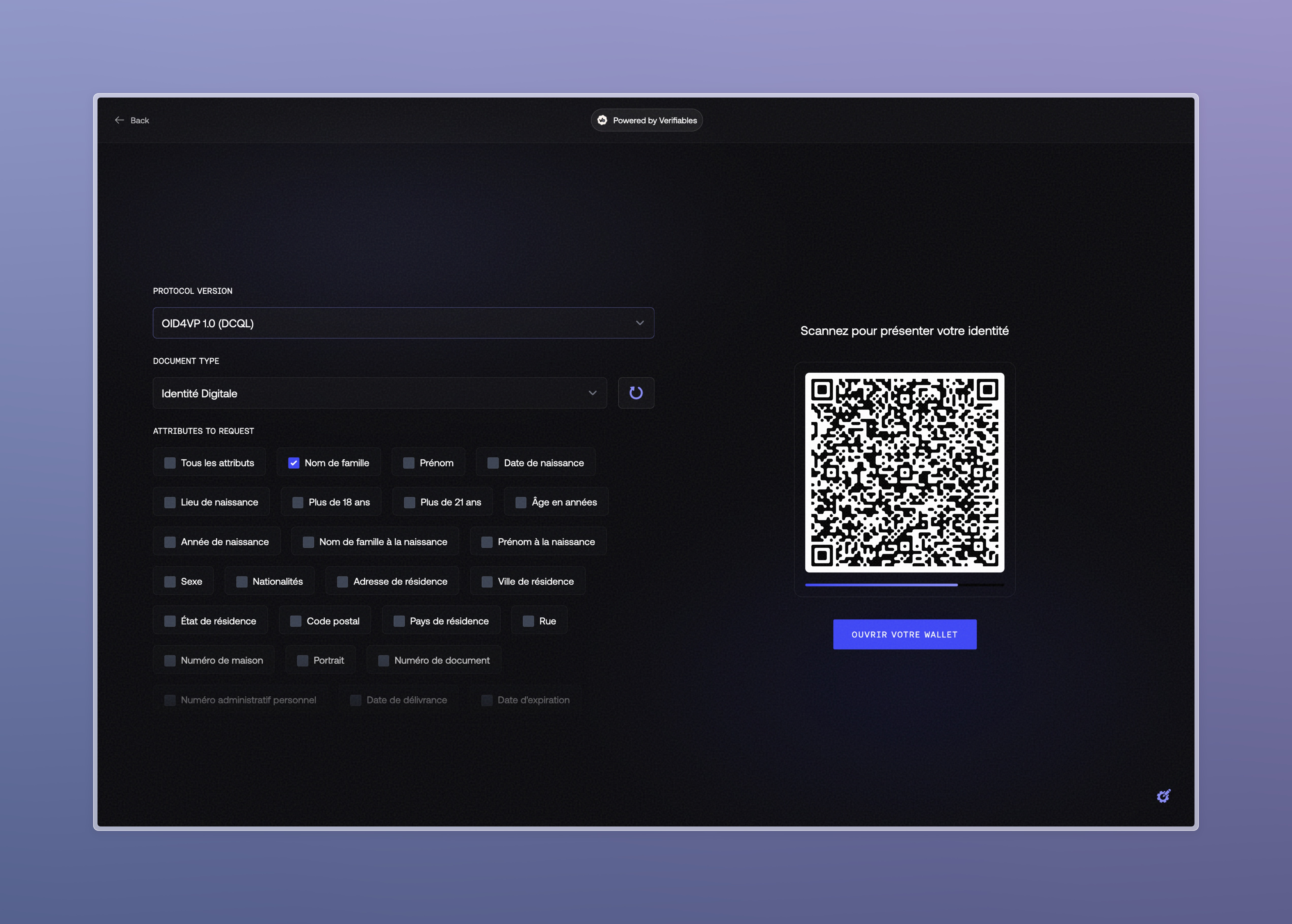
Remote Verification (OID4VP)
Standard OpenID4VP flow with same-device and cross-device support.
- Protocol toggle — Switch between OID4VP Draft 18 (PEX) and v1.0 (DCQL) in one click
- Selective disclosure — Pick exactly which attributes to request, or ask for everything
- Live QR codes — Auto-refreshing QR codes
- Real-time polling — Status updates from
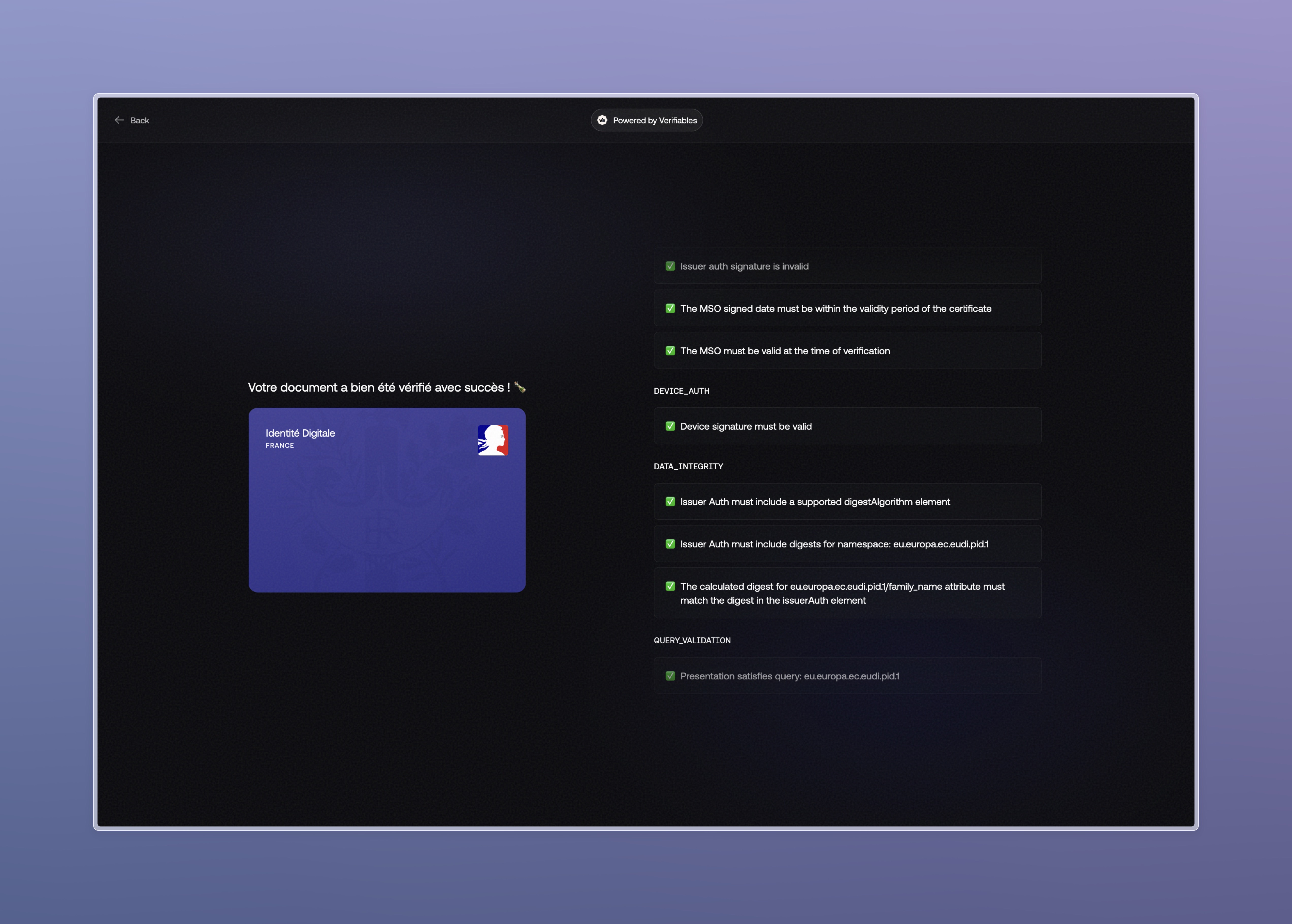
createdtoclaimedtovalid - Result inspection — View verified attributes, certificate chains, and verification checks
Proximity Verification (ISO 18013-5 BLE)
In-person verification using Web Bluetooth — scan a wallet's QR, connect over BLE, and verify.
- Full BLE transport — Fragmented read/write with MTU discovery
- Session encryption — ECDH P-256 + HKDF-SHA256 + AES-256-GCM, per spec
- Browser-native — No apps to install, works in Chrome/Edge/Opera
- Debug panel — Real-time connection logs for developers
The BLE engagement is handled by Stelau's implementation, available for testing here.
Why proximity matters
Remote flows cover online use cases, but face-to-face scenarios (museum entrance, hotel front desk, car rental counter) require proximity verification. This mode runs entirely in the browser via Web Bluetooth.
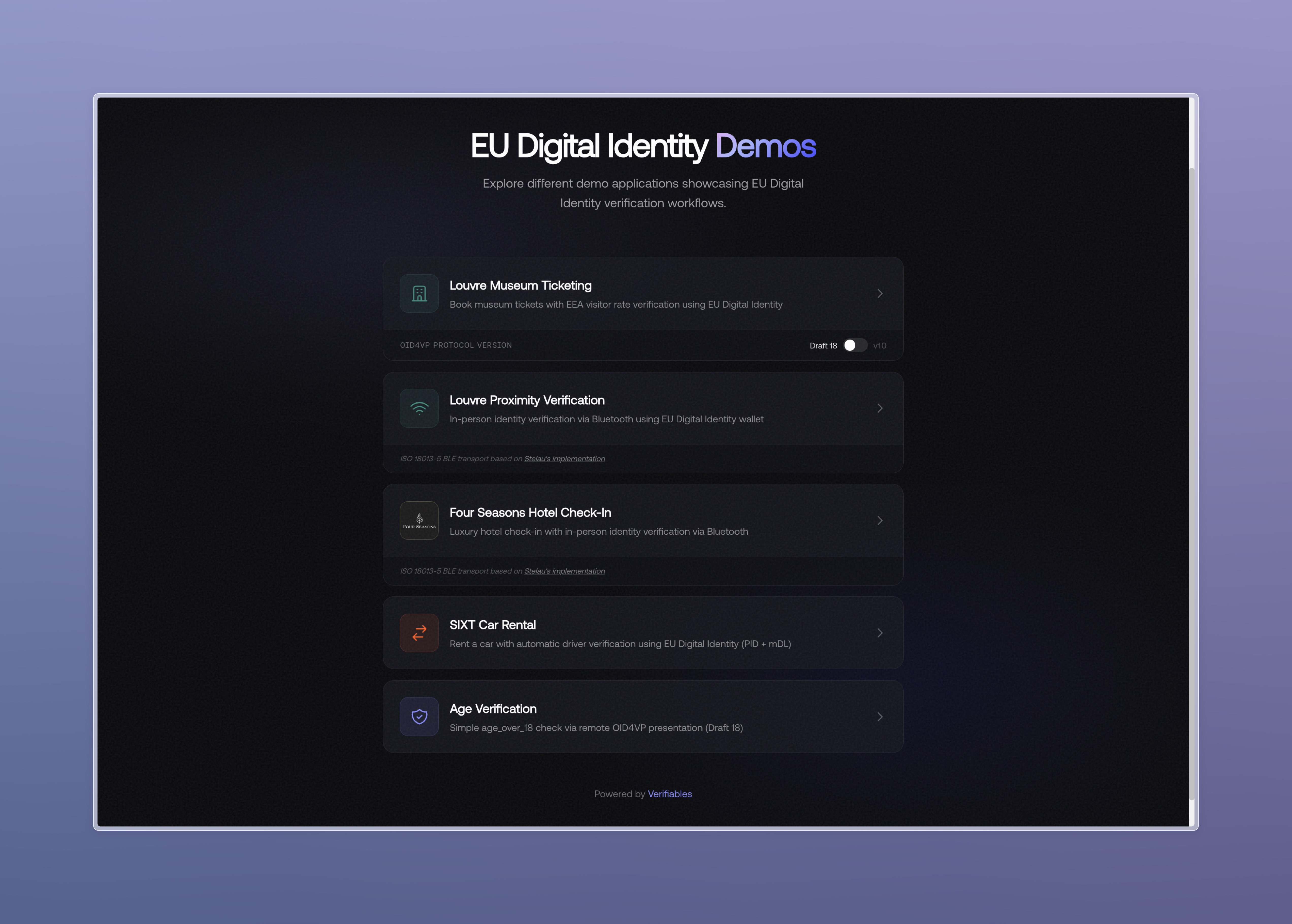
Live Industry Demos
Credential verification embedded into realistic, multi-step business applications.
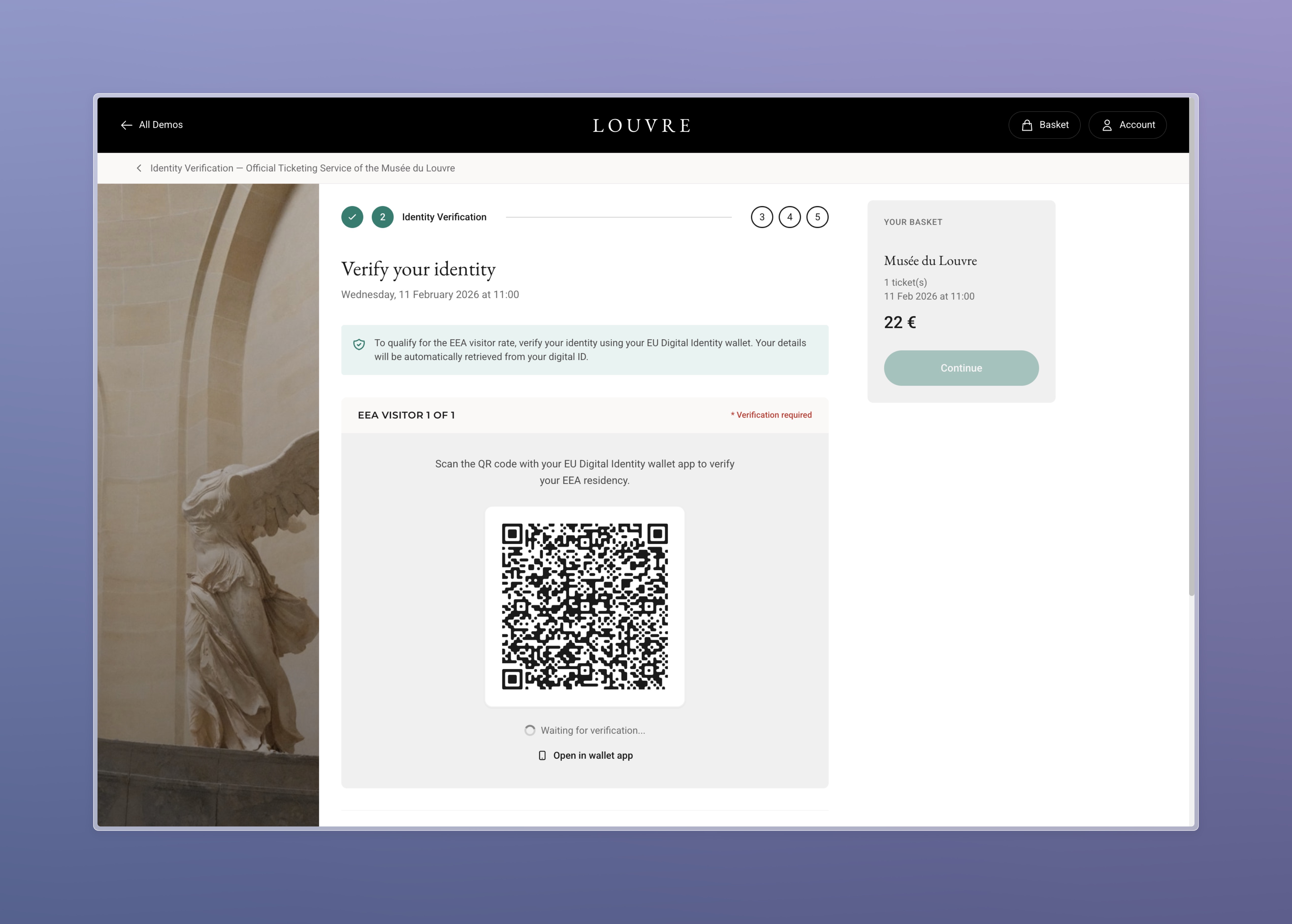
Louvre Museum — Ticket Booking
EU/EEA residents get a discount. Prove it with your wallet.
URL: Open Louvre demo
A complete museum ticketing flow:
- Pick your date and time — Calendar picker, morning/afternoon sessions
- Verify your identity — Scan a QR code to present your EU PID
- Confirm visitor details — Review auto-filled information from the credential
- Get your ticket — Booking confirmation with applied EEA resident discount
Also available in proximity mode (BLE) at /louvre/proximity — simulating verification at the museum entrance with Bluetooth.
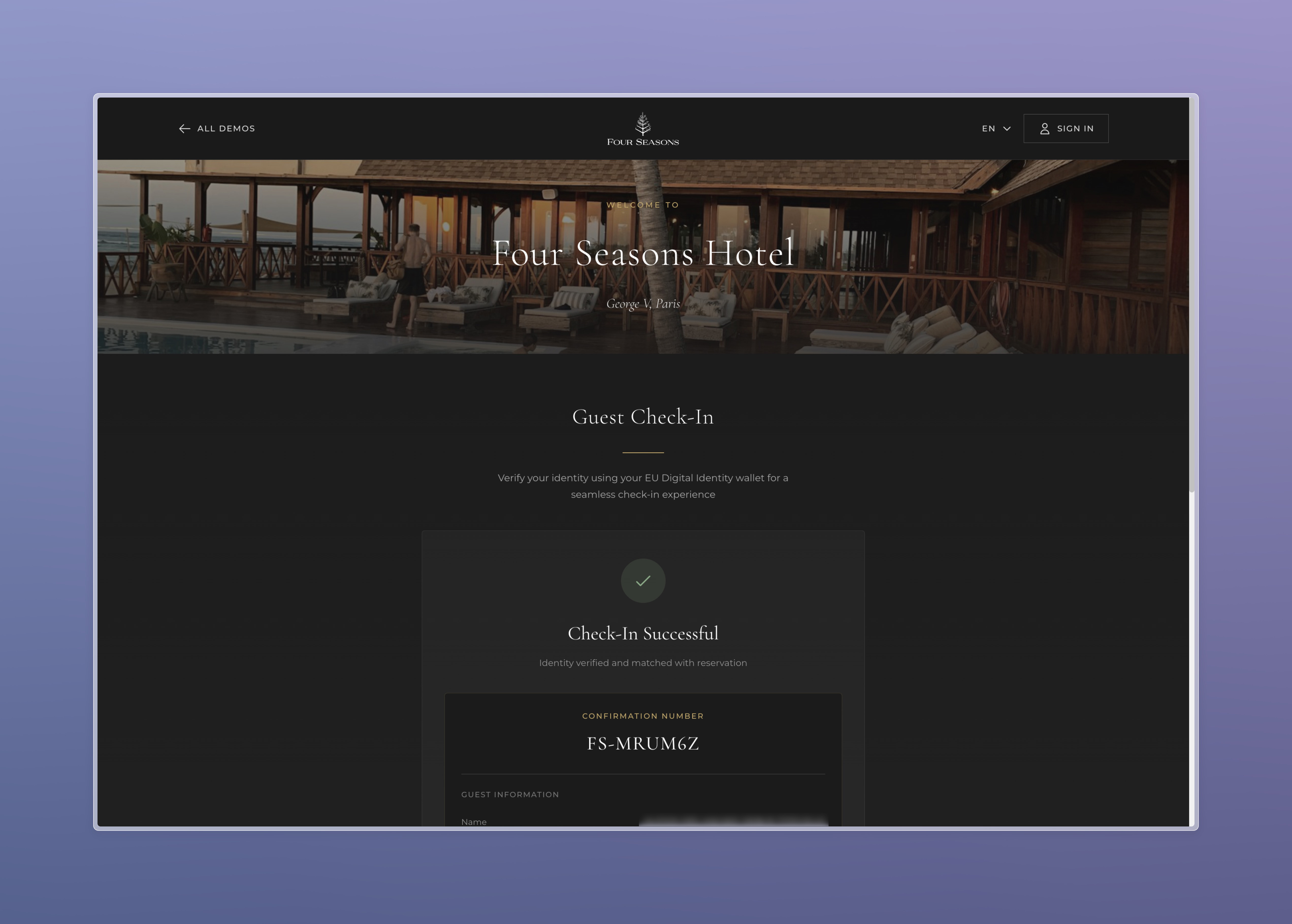
Four Seasons — Hotel Check-In
Check in with your digital identity. No passport photocopy.
A hotel check-in flow using the EU PID as guest identification.
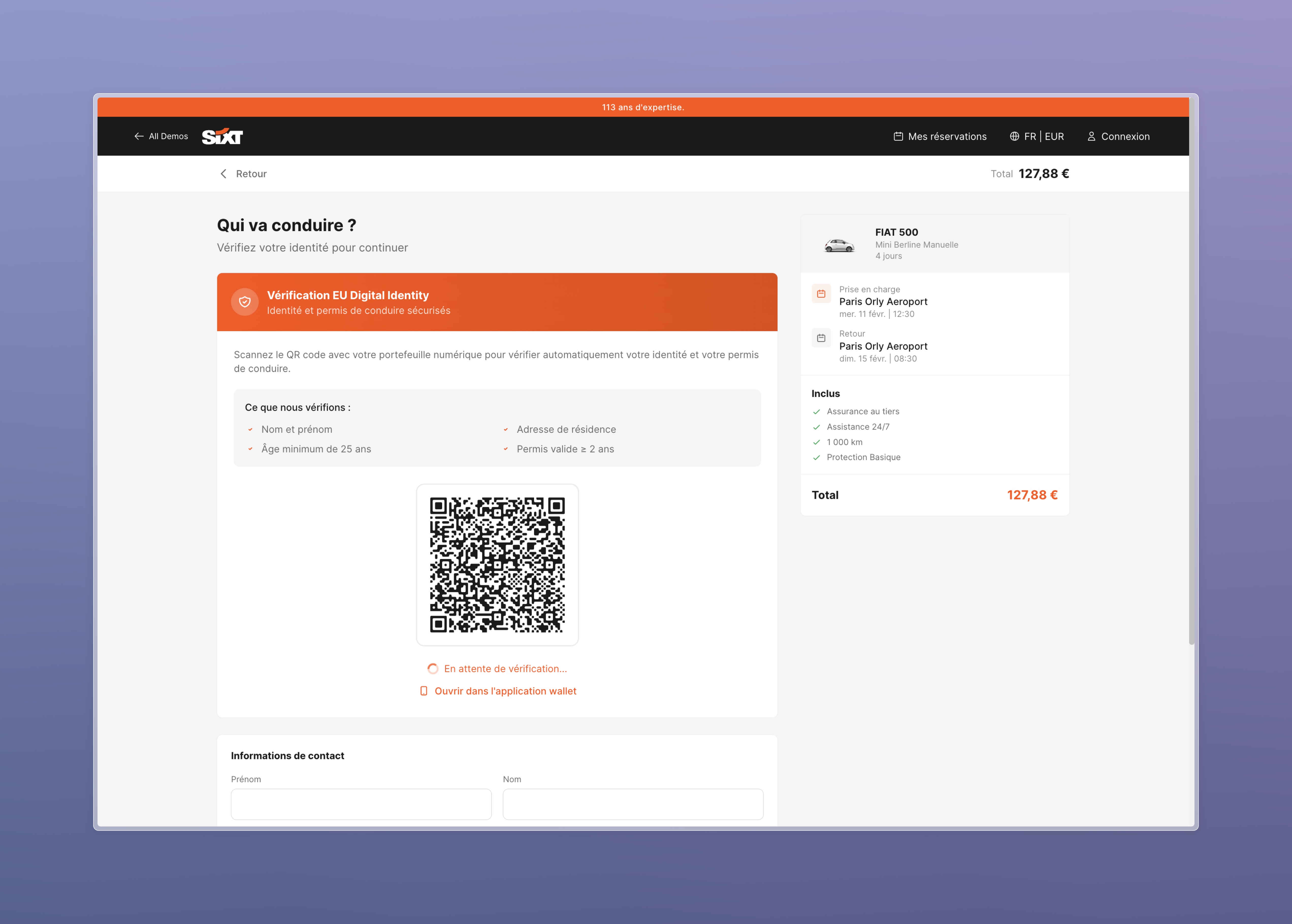
Sixt — Car Rental
Your driving license lives in your wallet now.
URL: Open Sixt demo
A complete car rental booking with six steps:
- Location & dates — Pickup/return selection
- Choose your car — Browse the fleet with pricing
- Verify your identity — Present your EU PID via OID4VP
- Add options — Insurance, extras, protection packages
- Payment — Process the booking
- Confirmation — Rental agreement with verified driver details
Age Verification
Prove you're over 18 without revealing your birth date.
URL: Open Age Verification demo
Minimal integration example: one attribute (age_over_18), one QR code, one answer.
Getting Started
1. Remote verification (quickest)
- Open the Verifier
- Select Remote mode
- Choose a document type (EU PID, mDL) and the attributes you want
- Pick your protocol version (Draft 18 or v1.0)
- Scan the QR code with the France Identite wallet
- View the verified result
2. Proximity verification (BLE)
- Open the Verifier in Chrome
- Select Proximity mode
- On the wallet, initiate a BLE engagement and display the device engagement QR code
- Scan the wallet's QR code with the verifier
- Accept the Bluetooth pairing prompt
- View the verified result
3. Try a demo
- Open Demos
- Pick a scenario (Louvre, Four Seasons, Sixt, Age Verification)
- Walk through the business flow — verification happens naturally at the right step
- Scan the QR code with the France Identite wallet
- Complete the flow with your verified credentials
Certificate
The verifier X.509 certificate must be whitelisted by the wallet to process presentations.
Subject:     C=FR, ST=France, L=Paris, O=Verifiables, OU=CISO, CN=Verifiables
Valid:       2025-12-09 to 2026-12-09
Key:         EC P-256
Full certificate (PEM)
-----BEGIN CERTIFICATE-----
MIIC+zCCAqGgAwIBAgIUcDwJ2gume0GMkFkttkMV+kX7qscwCgYIKoZIzj0EAwIw
gY4xCzAJBgNVBAYTAkZSMQ8wDQYDVQQIDAZGcmFuY2UxDjAMBgNVBAcMBVBhcmlz
MRQwEgYDVQQKDAtWZXJpZmlhYmxlczENMAsGA1UECwwEQ0lTTzEUMBIGA1UEAwwL
VmVyaWZpYWJsZXMxIzAhBgkqhkiG9w0BCQEWFGNpc29AdmVyaWZpYWJsZXMuY29t
MB4XDTI1MTIwOTE3NDYzN1oXDTI2MTIwOTE3NDYzN1owgY4xCzAJBgNVBAYTAkZS
MQ8wDQYDVQQIDAZGcmFuY2UxDjAMBgNVBAcMBVBhcmlzMRQwEgYDVQQKDAtWZXJp
ZmlhYmxlczENMAsGA1UECwwEQ0lTTzEUMBIGA1UEAwwLVmVyaWZpYWJsZXMxIzAh
BgkqhkiG9w0BCQEWFGNpc29AdmVyaWZpYWJsZXMuY29tMFkwEwYHKoZIzj0CAQYI
KoZIzj0DAQcDQgAEx1e6SuM0pa4TaaFVoq7d+xF2d3ankGFOBE9EbaeQI1QcQYbx
2mqWizhM8OIIG68o4Yy/NhpAY7ELOZsWf+rovqOB2jCB1zAdBgNVHQ4EFgQUm3YB
YyUlMLFb5uBBBD8262goE4kwHwYDVR0jBBgwFoAUm3YBYyUlMLFb5uBBBD8262go
E4kwDwYDVR0TAQH/BAUwAwEB/zCBgwYDVR0RBHwweoIPdmVyaWZpYWJsZXMuY29t
ghh2ZXJpZmllci52ZXJpZmlhYmxlcy5jb22CJmFwaS5wbGF5Z3JvdW5kLmZyYW5j
ZS1pZGVudGl0ZS5nb3V2LmZygiVlZHdpbi13ZWFraGFuZGVkLWJyeWFuLm5ncm9r
LWZyZWUuZGV2MAoGCCqGSM49BAMCA0gAMEUCIQDofgImD/krlmngnRJbHE9tZYaJ
U42afopkM3KjWqFoAQIgbn9bgyNsnxQWAL32hKzXAxsKzYlYckzbn475ETMAApg=
-----END CERTIFICATE-----
Support
Questions or issues?
When reporting an issue, please include:
- The flow you were testing (remote / proximity / which demo)
- Wallet app version and device
- Browser and OS
- Screenshots or console logs if available