iDAKTO Verifier
User Guide
1. Overview
1.1 Purpose and Scope
The iDAKTO Verifier is a testing and demonstration interface deployed in the France Identité Playground.
It allows users to configure and initiate Verifiable Presentation (VP) flows with EUDI wallets.
It is intended for: - Interoperability testing - Protocol validation - Wallet & verifier integration checks - Demonstrations and troubleshooting
All verifier capabilities are exposed through APIs; we provide a minimal frontend to exercise them.
1.2 Supported Protocols and Standards
The verifier implements the following standards:
- OpenID for Verifiable Presentations (OpenID4VP) draft 18 (compliant with ISO 18013-7 Annex B)
- OpenID for Verifiable Presentations (OpenID4VP) 1.0
- ISO/IEC 18013-5
- SD-JWT Verifiable Credentials
- Cryptographic algorithms as declared by wallet metadata (e.g. ES256, ES384, ES512, ESB variants)
1.4 Supported Document Formats
The verifier currently supports:
-
MSO mDoc
- Proof of age (eu.europa.ec.av.1)
- PID (eu.europa.ec.eudi.pid.1) as described in PID Rulebook v2.7.3
- mobile Driving Licence (org.iso.18013.5.1.mDL) as specified in ISO 18013-5:2021 (Sept)
- PhotoID (org.iso.23220.photoID.1) as specified in ISO 23220:2021 (E)
- mobile Vehicule Registration Card (org.iso.7367.1.mVRC) as specified in ISO/IEC WD 7367:2024(E)
- mDoc for eHealth (org.micov.1) as described in the white paper ISO/IEC JTC 1/SC17/WG4-WG10 (version: Release Candidate 3.1, 2024-08-12)
-
SD-JWT VC
- PID (urn:eudi:pid:1) as described in PID Rulebook v2.7.3
1.5 URLs
Main interface https://api.playground.france-identite.gouv.fr/v2/idakto/verifier/
VP testing interface:with OpenID4VP Draft 18
https://api.playground.france-identite.gouv.fr/v2/idakto/verifier/vp/draft18
VP testing interface:with OpenID4VP 1.0
https://api.playground.france-identite.gouv.fr/v2/idakto/verifier/vp/1.0
This URL provides access to the VP test UI and reflects the capabilities of the underlying verifier API.
2. How to Test – Generating a Verifiable Presentation
The light frontend allows you to configure and execute a full VP presentation flow step by step.
Prerequisite for the wallet to trust the wallet verifier
For the wallet to trust the wallet verifier, the wallet should be configured to trust the certificate displayed on the verifier interface.
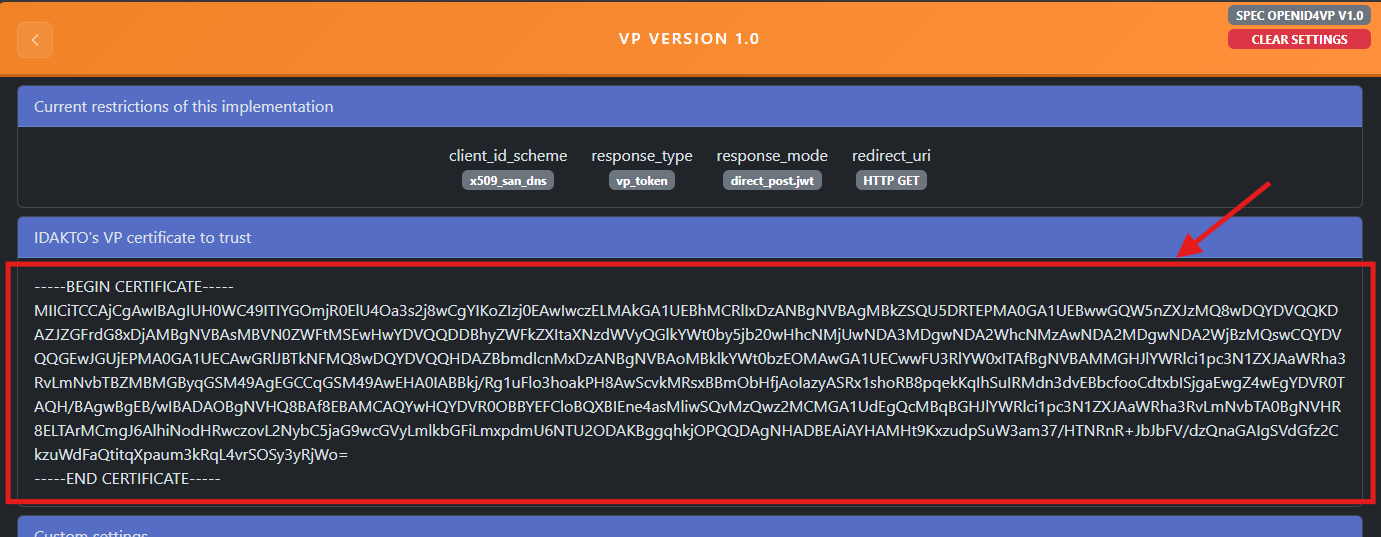
2.1 Configure Custom Settings
The page includes a Wallet Metadata section where you can: - Use a default sample wallet metadata JSON - Paste or load custom wallet metadata - Define supported algorithms, formats, and response modes
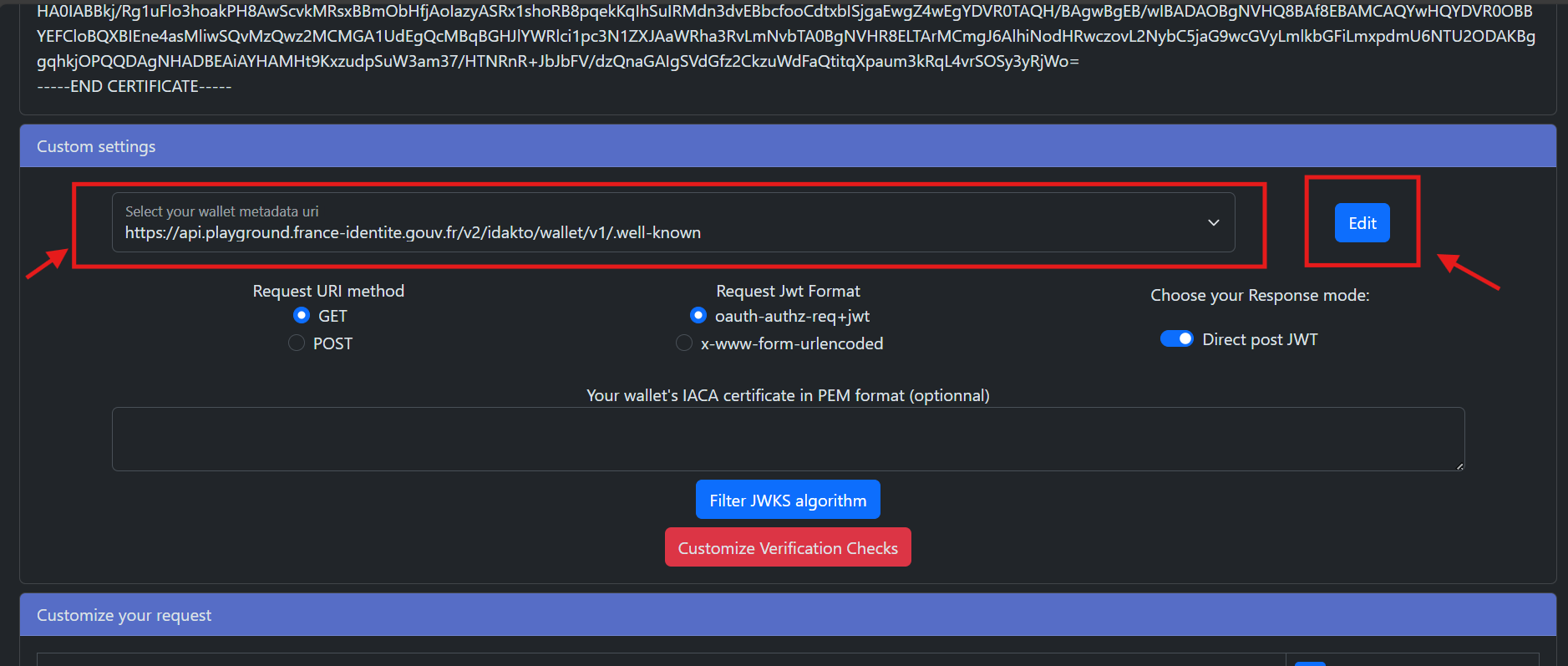
This metadata determines how the verifier builds the VP request and what it expects from the wallet.
2.2 Configure Your Request
Using the available controls, you can: - Filter accepted cryptographic algorithms (3) - Enable or disable verification checks (3) - Upload an IACA certificate (PEM format), if required (2) - Select request and response encoding formats (1)
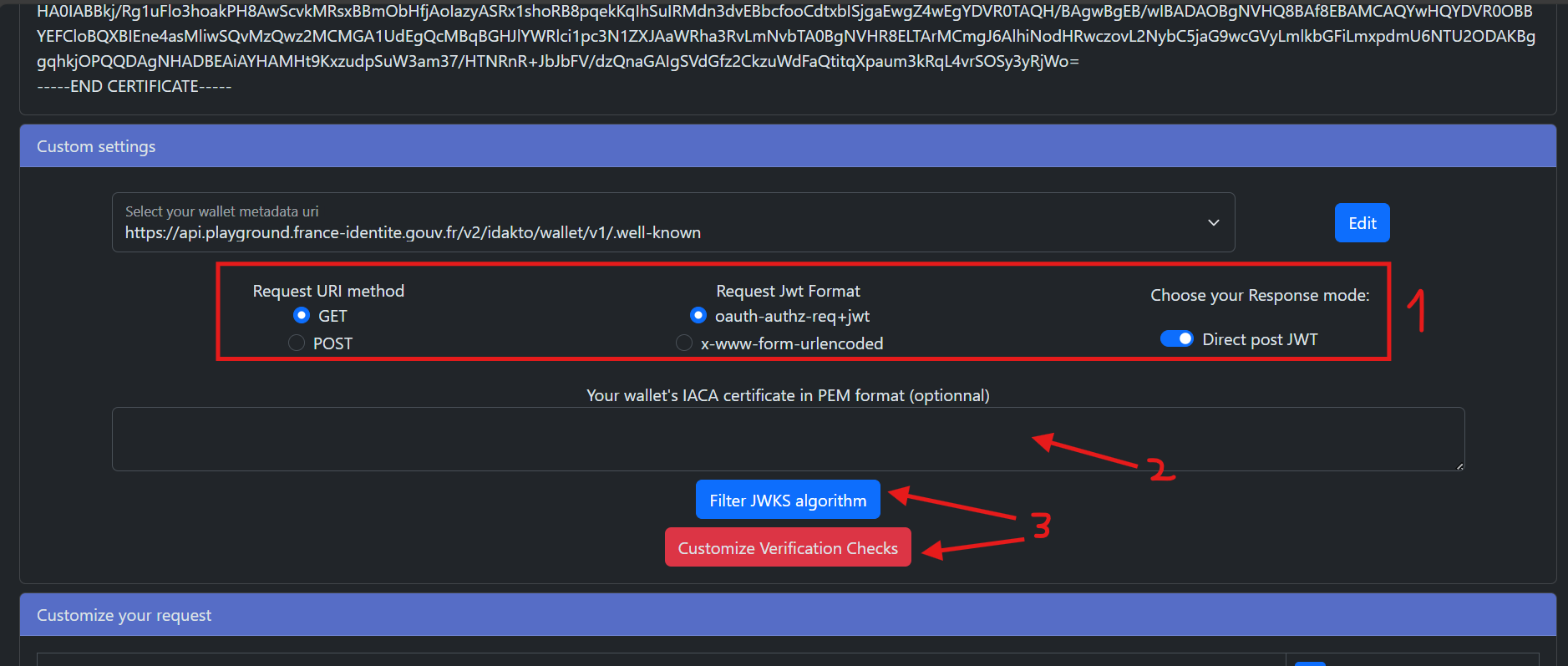
- Define requested document types and attributes
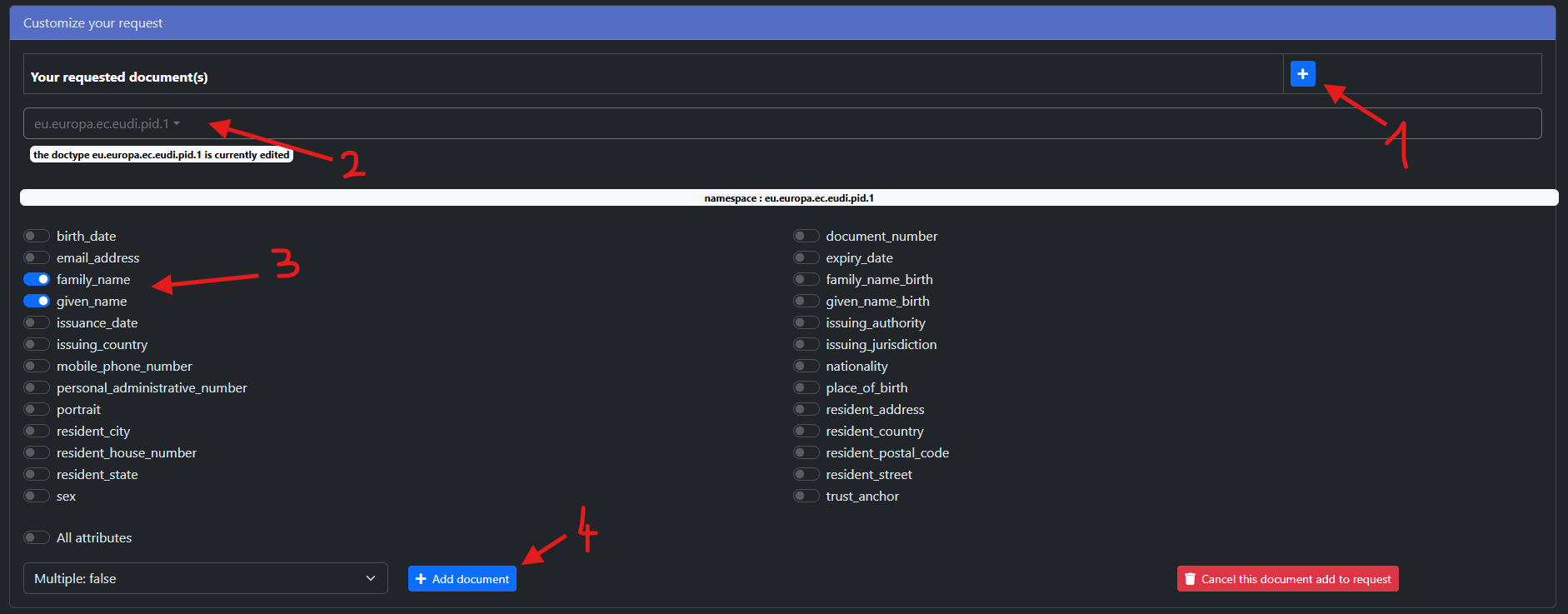

These settings allow you to simulate different verifier policies and test wallet compatibility.
2.3 Generate a VP Authentication Request
Once configured: 1. Generate a VP authentication request from the interface. 2. A QR code is produced. 3. Scan it with your wallet to initiate the OpenID4VP flow.
All attributes retrieved from the presentation are then displayed on the frontend.
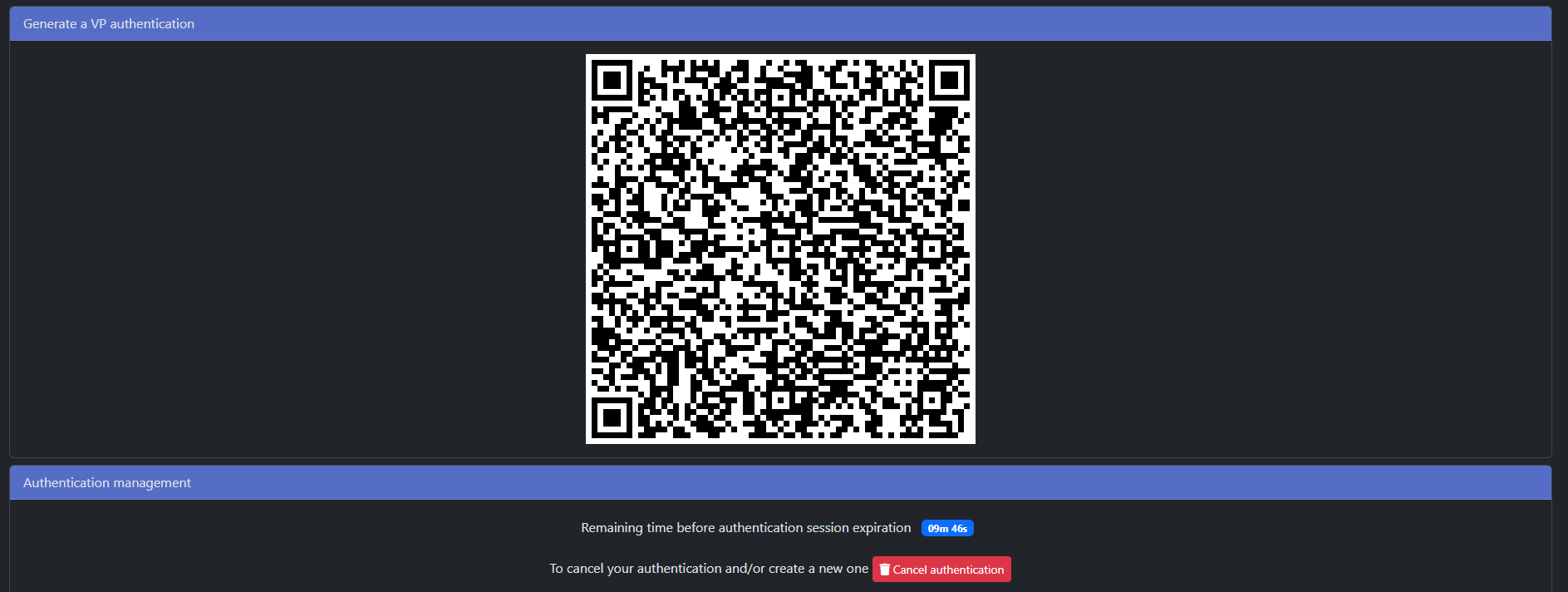
2.4 Additional Info
The interface displays, for each VP received and for both test interfaces (draft 18 and 1.0): - The attributes that were shared by the wallet (1) - Verification results (2)
All results are visible directly in the interface and correspond to API-level responses.
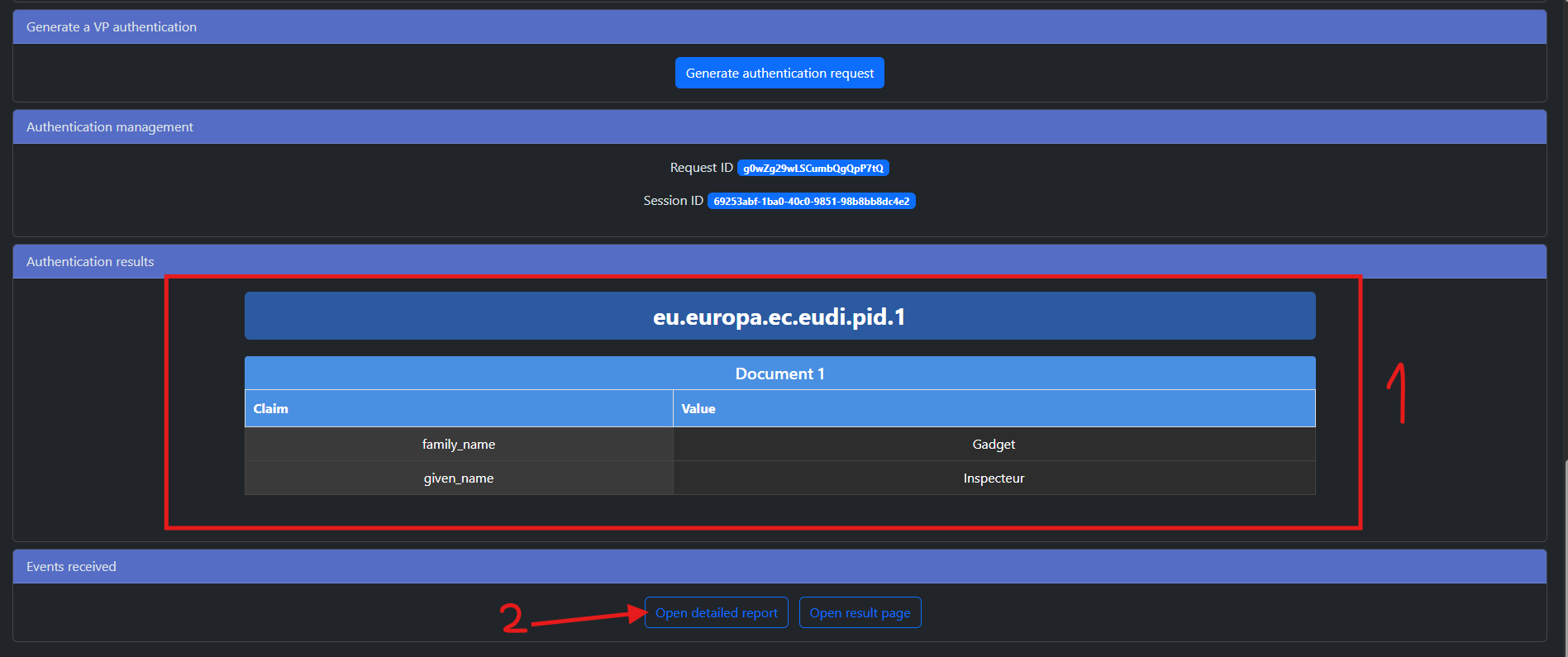
Display of results
For a detailed analysis of all presentations that were done, one can click on the "Open detailed report" (see 2 on the screenshot above).
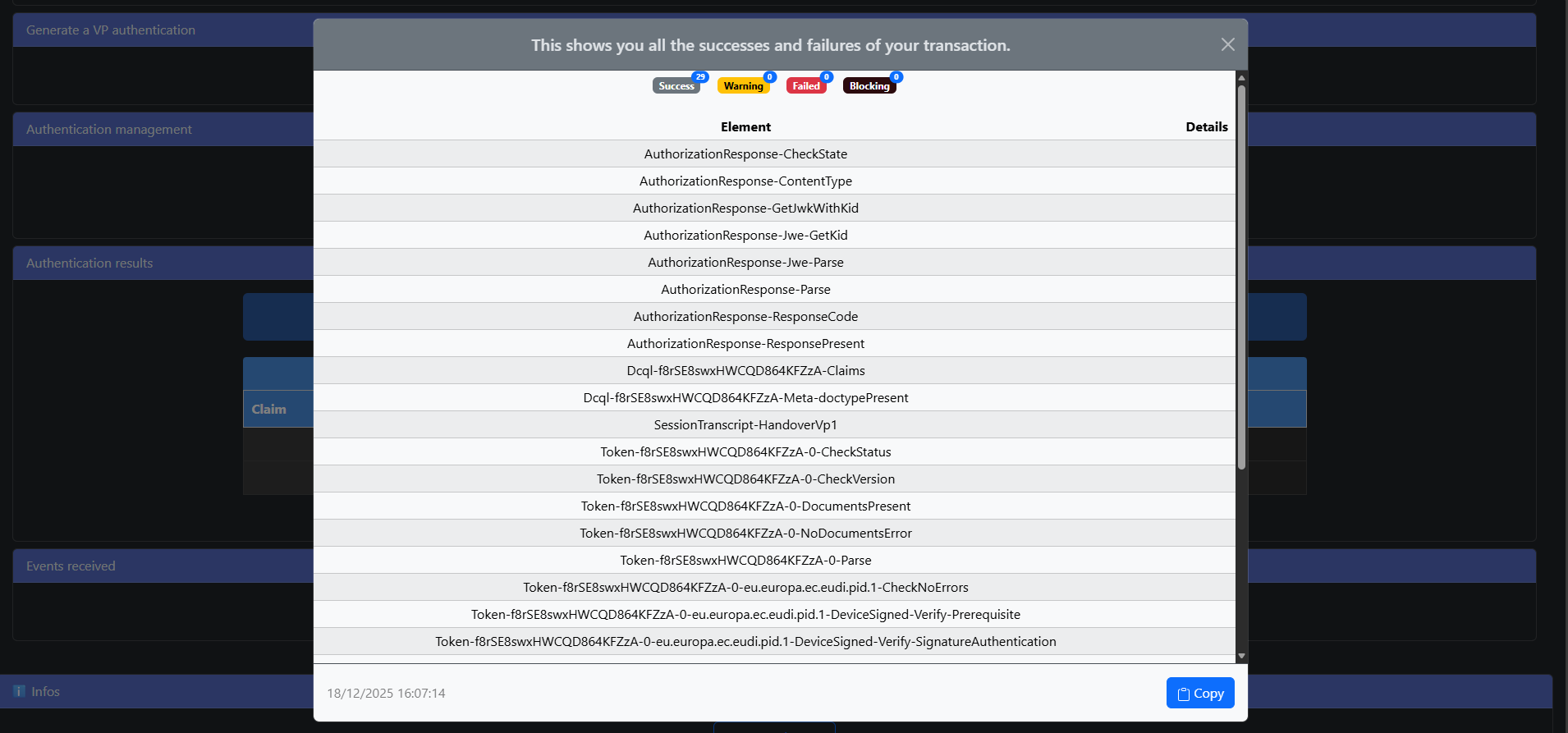
Detailed analysis of VP transaction
3. Getting Help
3.1 Support
For assistance, users may reach out to iDAKTO at contact@idakto.com for further assistance.